Show clients you understand their problem before they pick up the phone.
Brandworder writes articles in your expert’s voice, from what your company knows, and checks the facts in them. You decide at every step.
Your client has a shortlist before you’ve even spoken.
of buying journeys had the vendors ranked before the first conversation with a salesperson.
of decision-makers say expert content builds trust when the author shows they understand the reader’s challenges, priorities and constraints.
By the time your salesperson sits down for the first call, the list usually exists. The question is whether you’re on it.
Sources: 6sense, 2026 B2B Buyer Experience Report (purchases of USD 25,000 a year or more); Edelman–LinkedIn, 2026 B2B Thought Leadership Impact Report, p. 10 (self-reported, n=1,063). Market research data, not Brandworder results.
Nothing shows you understand clients like an expert article. But who’s going to write it?
- Your expert knows what to tell clients, but has no time to write.
- AI chatbot output needs rewriting. It doesn’t sound like your expert, and you can’t tell whether the facts hold up.
- Content gets written in bursts, squeezed in between projects.

Your expert doesn’t start from a blank page. The system writes in their voice, from your company’s knowledge, and checks the facts.
You decide at every step.
An AI chatbot will write the text. The rest is still on you.
What Brandworder does, and what you decide.
Step 1 of 8 Company profile
Reads your materials and pulls out what you sell, what sets you apart and who your clients are.
You pick the version of each field.
Step 2 of 8 Expert voice
Learns your expert’s style from their own articles.
You choose the articles to learn from.
Step 3 of 8 Topic
Suggests topics for the campaign, and the article’s main idea.
You pick the topic and sharpen the main idea.
Step 4 of 8 Sources
Searches your knowledge base and the web, and rates every source.
You choose the folders and exclude sources.
Step 5 of 8 Writing
Writes the plan and the draft in your expert’s voice.
You change only what you want to change.
Step 6 of 8 Facts
Pulls the claims out of the text, checks them and suggests fixes.
You settle anything in doubt.
Step 7 of 8 Publishing
Creates the graphic and publishes the article on your website.
You pick the date.
Step 8 of 8 Posts
Writes posts with graphics for LinkedIn, Facebook and Instagram.
You approve every post.
The tool does the work. You make the call.
Publishing and posts: Publisher plan and up. Campaigns and measurement: Business plan. The full process, step by step
The system learns your company once. After that, every article draws on it.
What sets you apart, your brand voice, visual style, experts and knowledge base. In a chatbot you paste all this in every time. Here you save it once.
It sounds like your expert, not like a chatbot
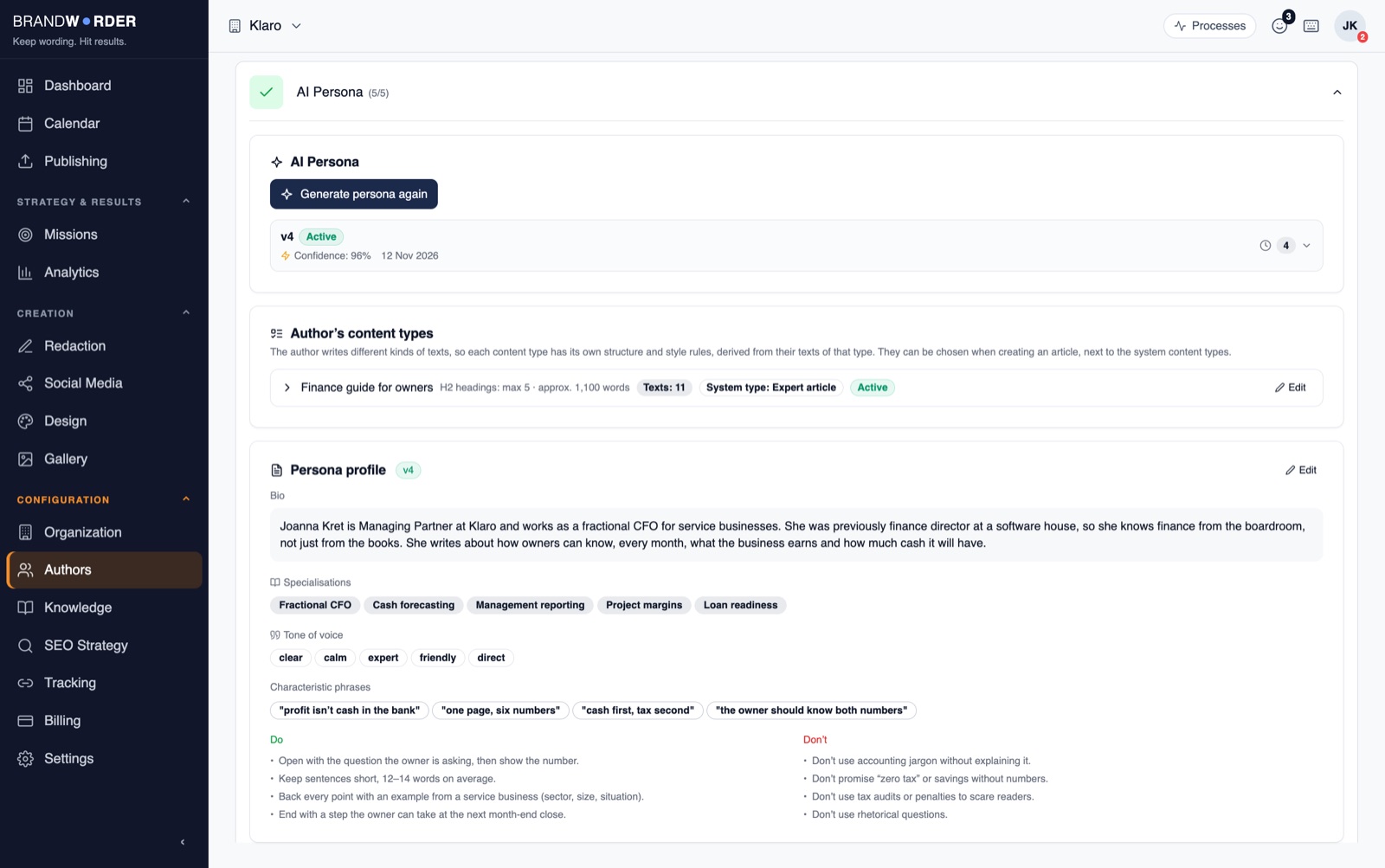
- The expert’s bio, specialisations and tone of voice.
- The phrases they keep coming back to.
- Rules for their writing: what to do and what to avoid.
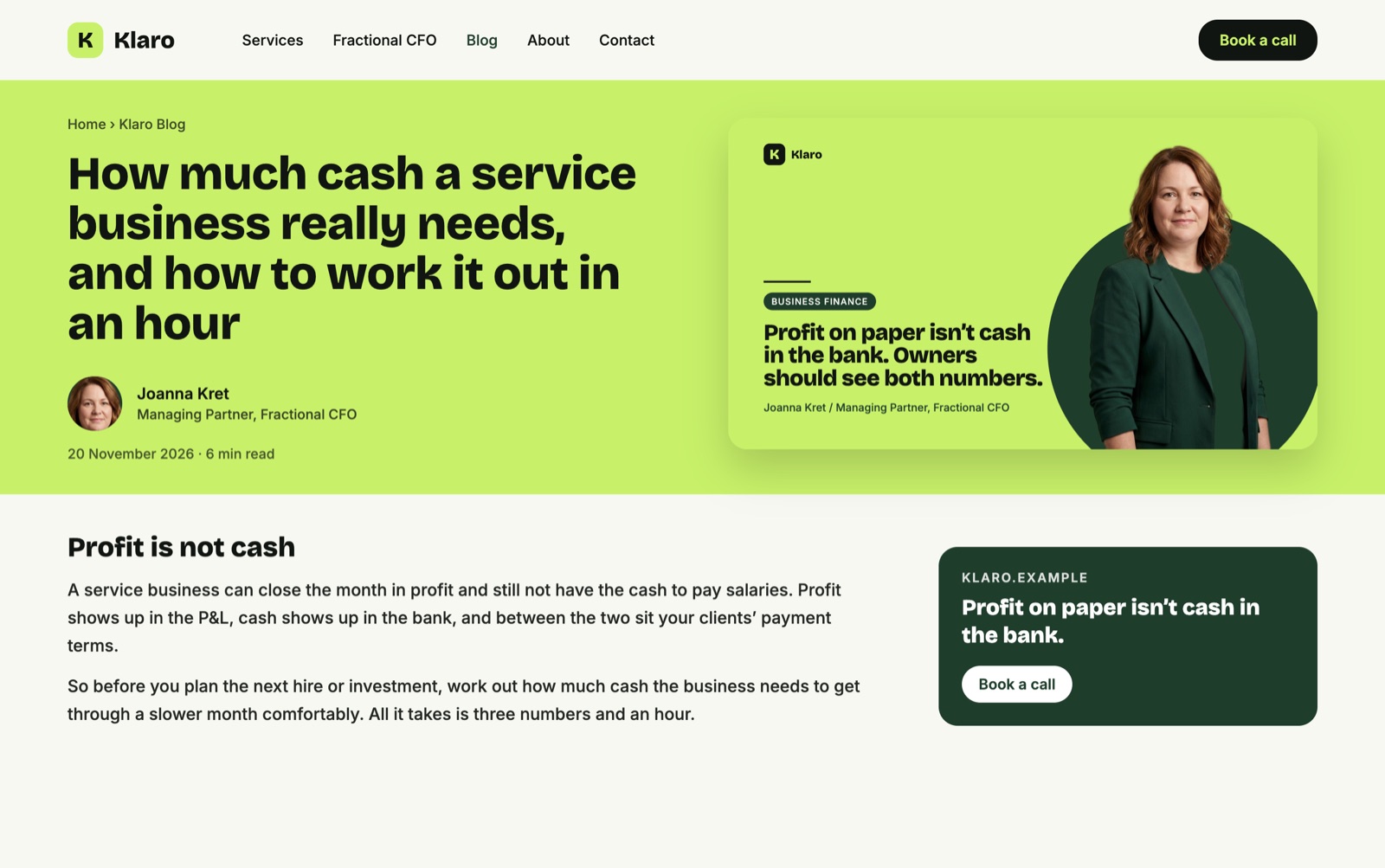
You decide The profile is built from articles your expert has already written. You can edit it.
It reads your company’s materials and pulls out what sets you apart
- Reads your website and any materials you upload.
- Pulls out what sets you apart, your positioning and what you sell.
- Shows what it found in the materials next to what you said about yourself.
You decide For each field you pick the version that stays: your own declaration, what was found in the materials, or text you write yourself.
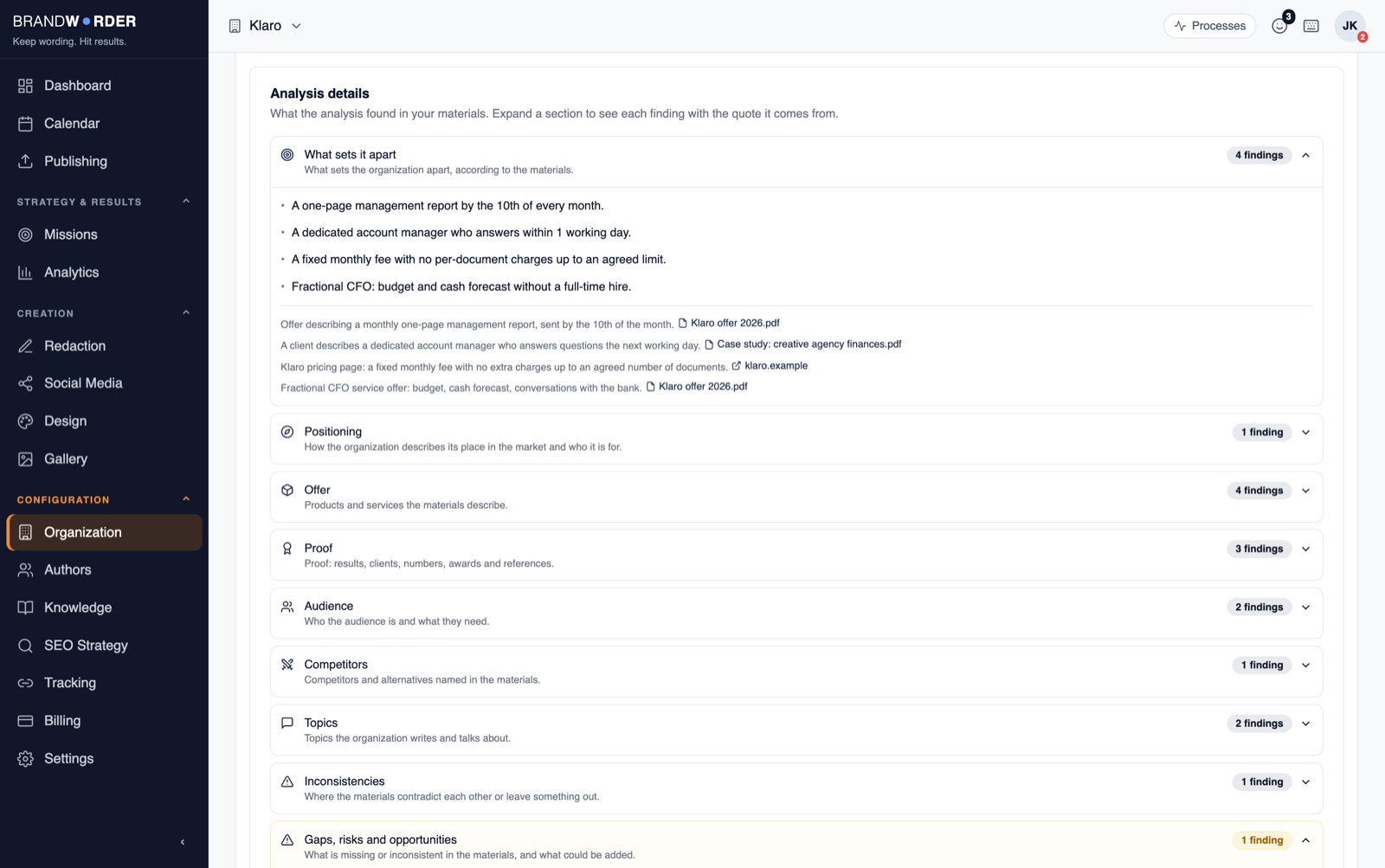
Every finding has a source. You see the gaps too
- USP, positioning, offer, proof, competitors and topics. Every finding comes with a quote.
- Each quote shows the file or web page it came from.
- It flags where the company contradicts itself or leaves things out.
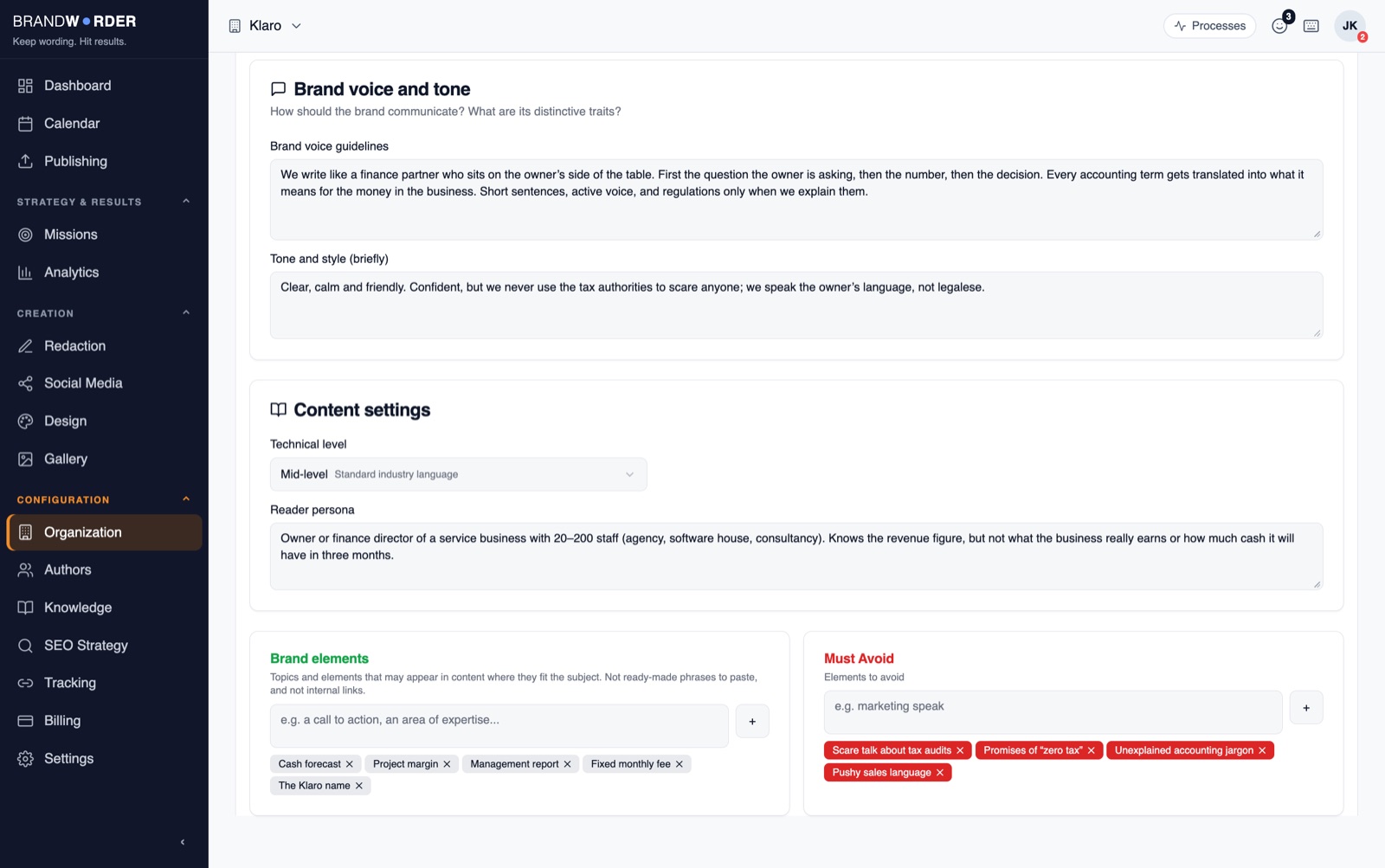
Your brand’s voice and tone, set once for every article
- Brand voice guidelines, tone and style.
- How technical the writing should be, and who the reader is.
- The brand elements to bring in, and what to avoid.
You decide You can edit every field. Every article draws on this description.
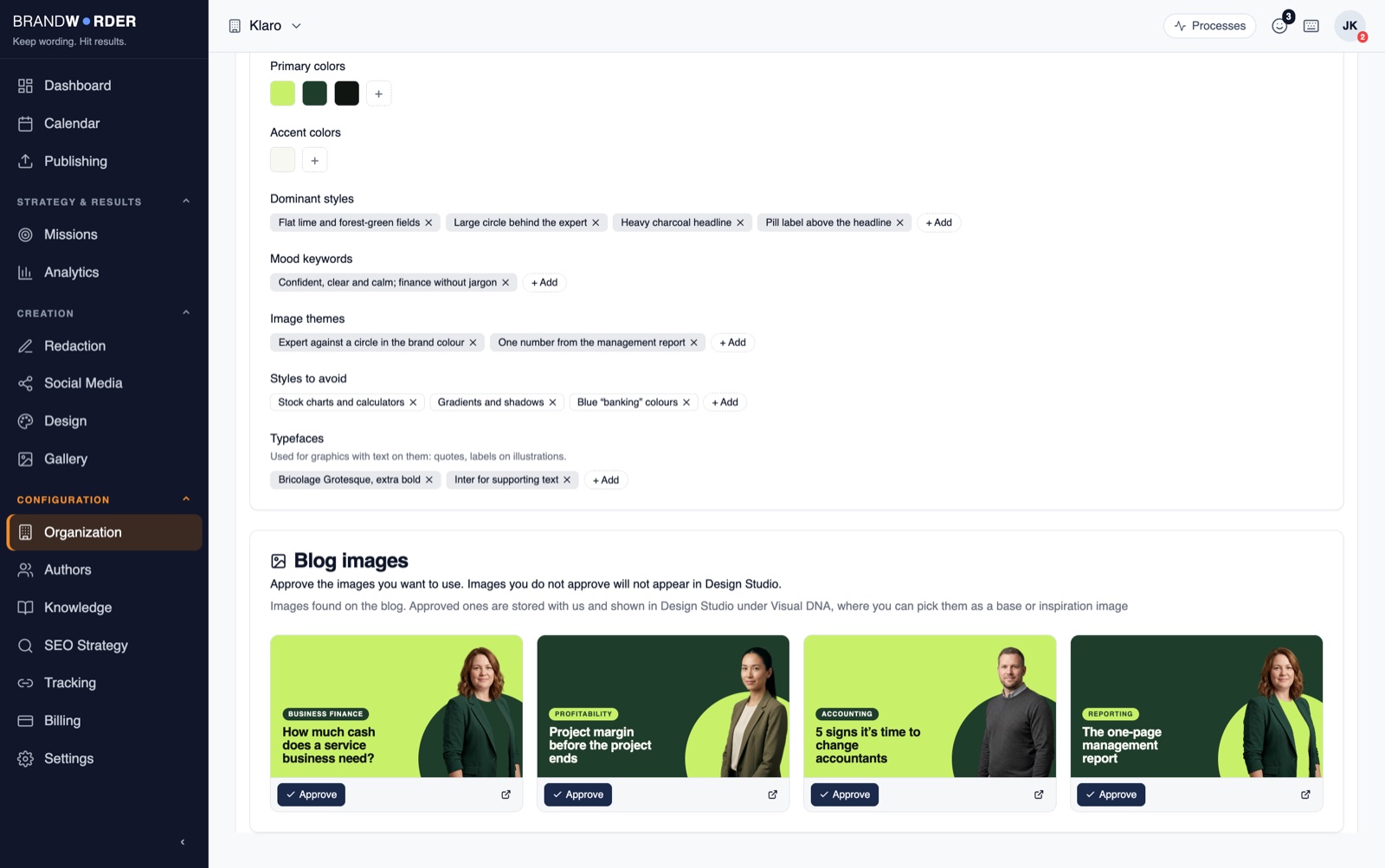
Your visual style, read straight from your blog
- The colours, dominant styles and mood of your company’s graphics.
- The styles your brand stays away from.
- Blog images you approve go into Design Studio.
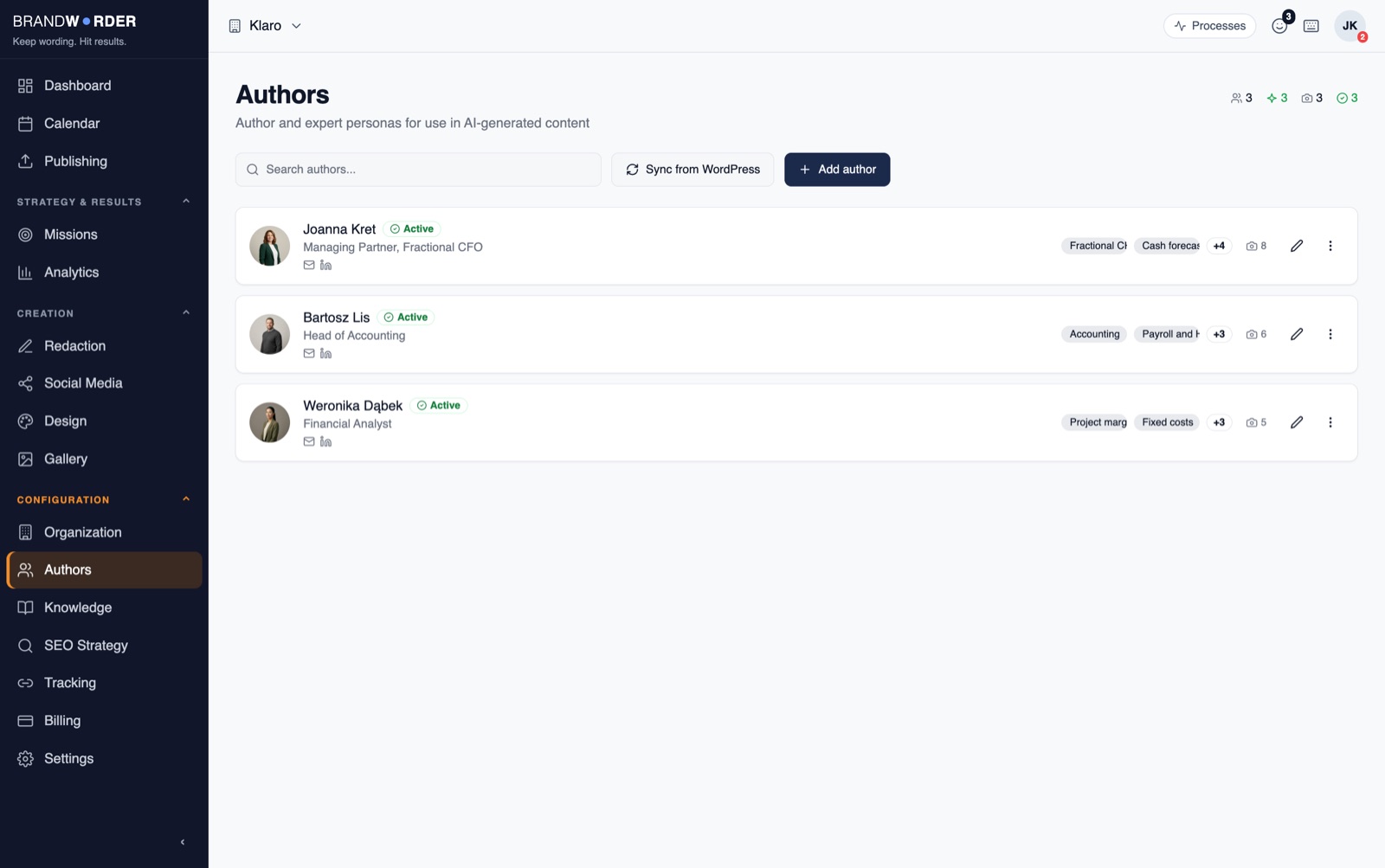
Every expert in your company has a profile
- All your company’s experts in one place.
- For each one: role, specialisations and photos for graphics.
- Each article is assigned to a named expert.
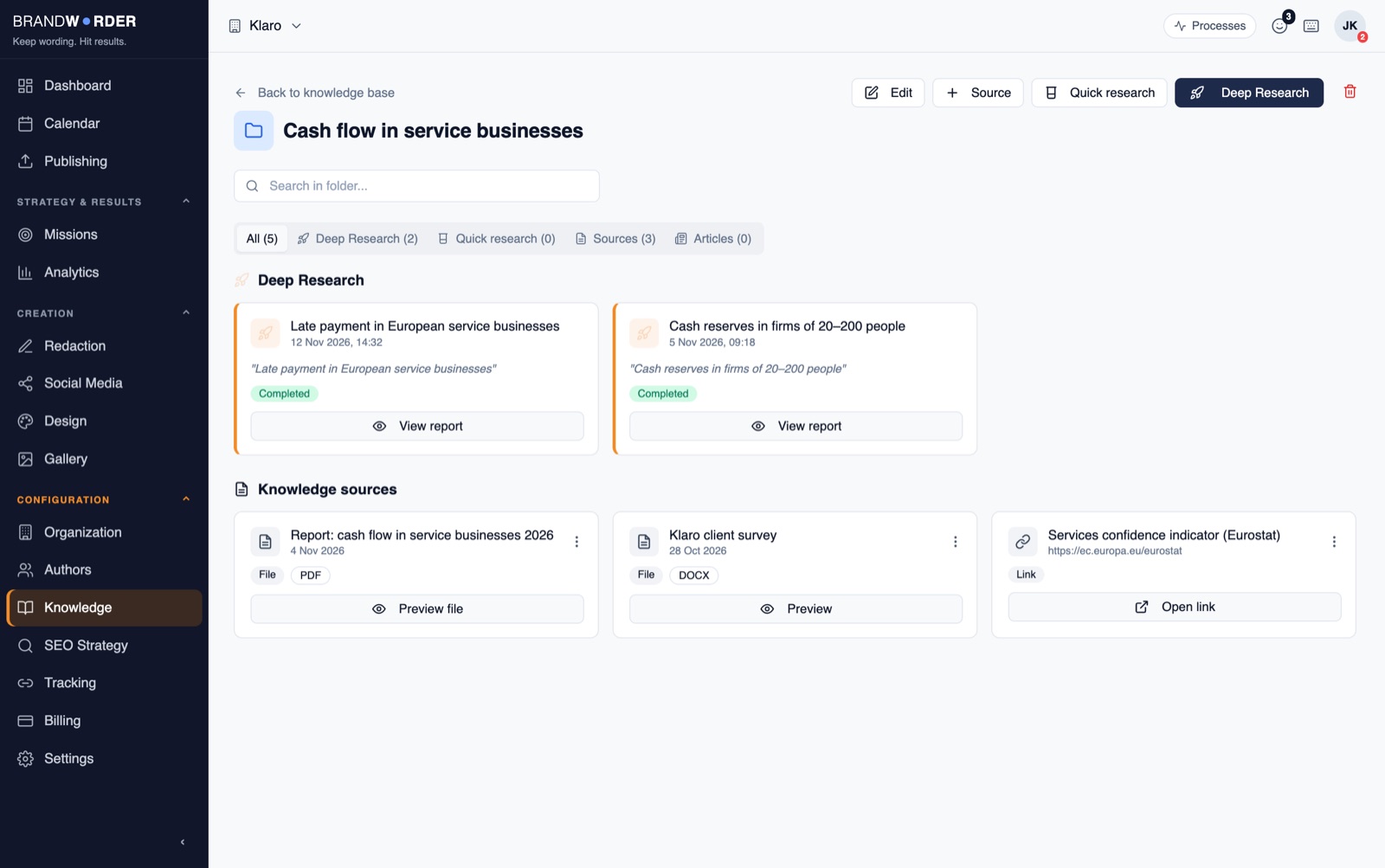
Add your company’s knowledge once. Every article draws on it
- Upload your own sources: documents, research, notes, links. Including things you won’t find online.
- It can research a topic on its own, with cited sources, and add the results to the knowledge base.
- When writing, it searches your base and the web. It rates every source, and you can exclude any of them.
You decide You choose which folders each article can use.

From topic to finished article, step by step.
Thesis, plan, sources and draft, plus campaigns on the Business plan. The order never changes, so no step gets dropped.
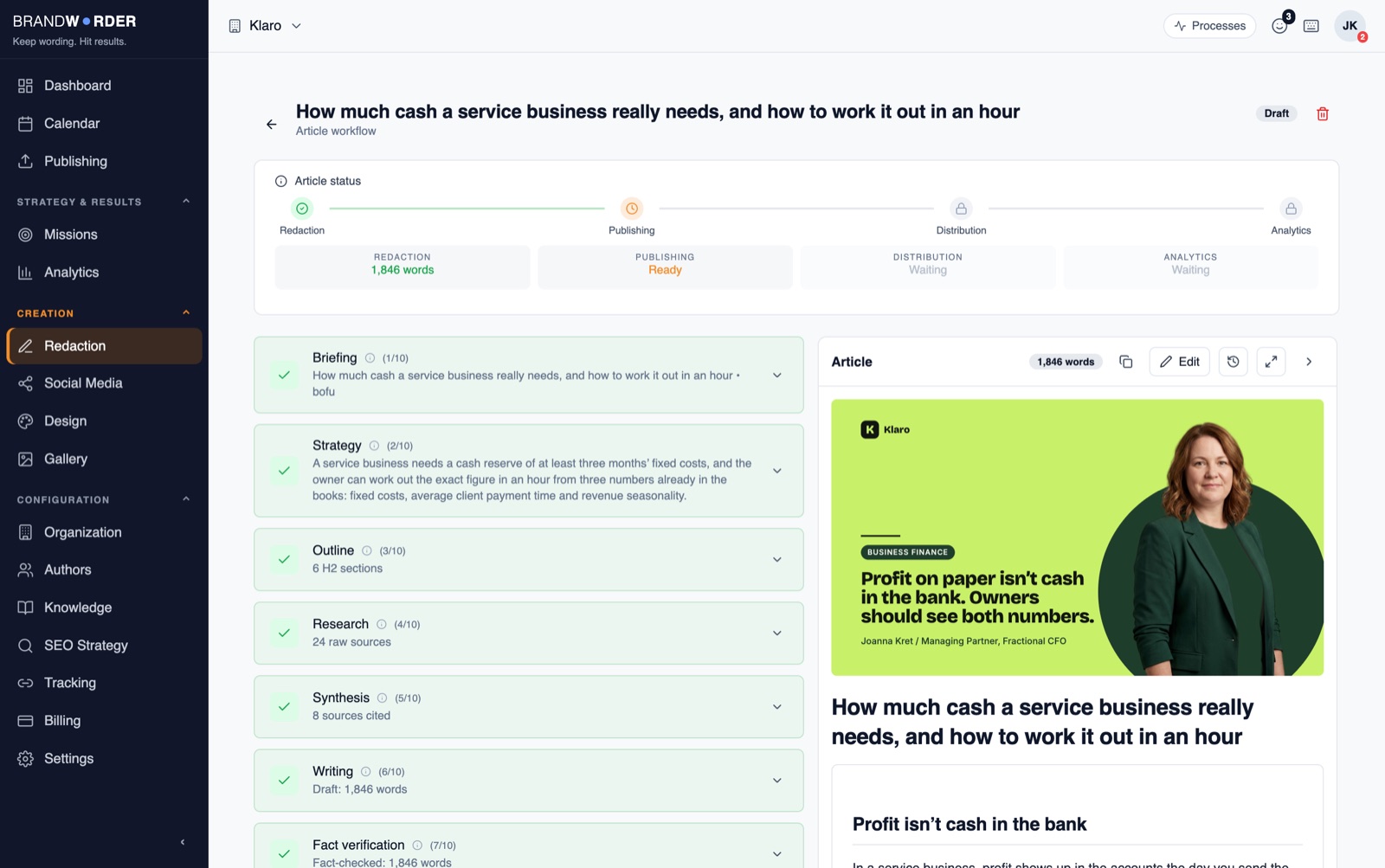
Each article moves through the article workflow one step at a time
- Topic, requirements, format, strategy, outline, research, draft.
- Then fact-check, SEO, images and CMS. 11 steps in all.
- At the top you can see what stage the article is at.
You decide You only open the step you want to change, and leave the rest alone.
Before a word is written, there’s a thesis and a plan
- What the reader is looking for, and the main thesis.
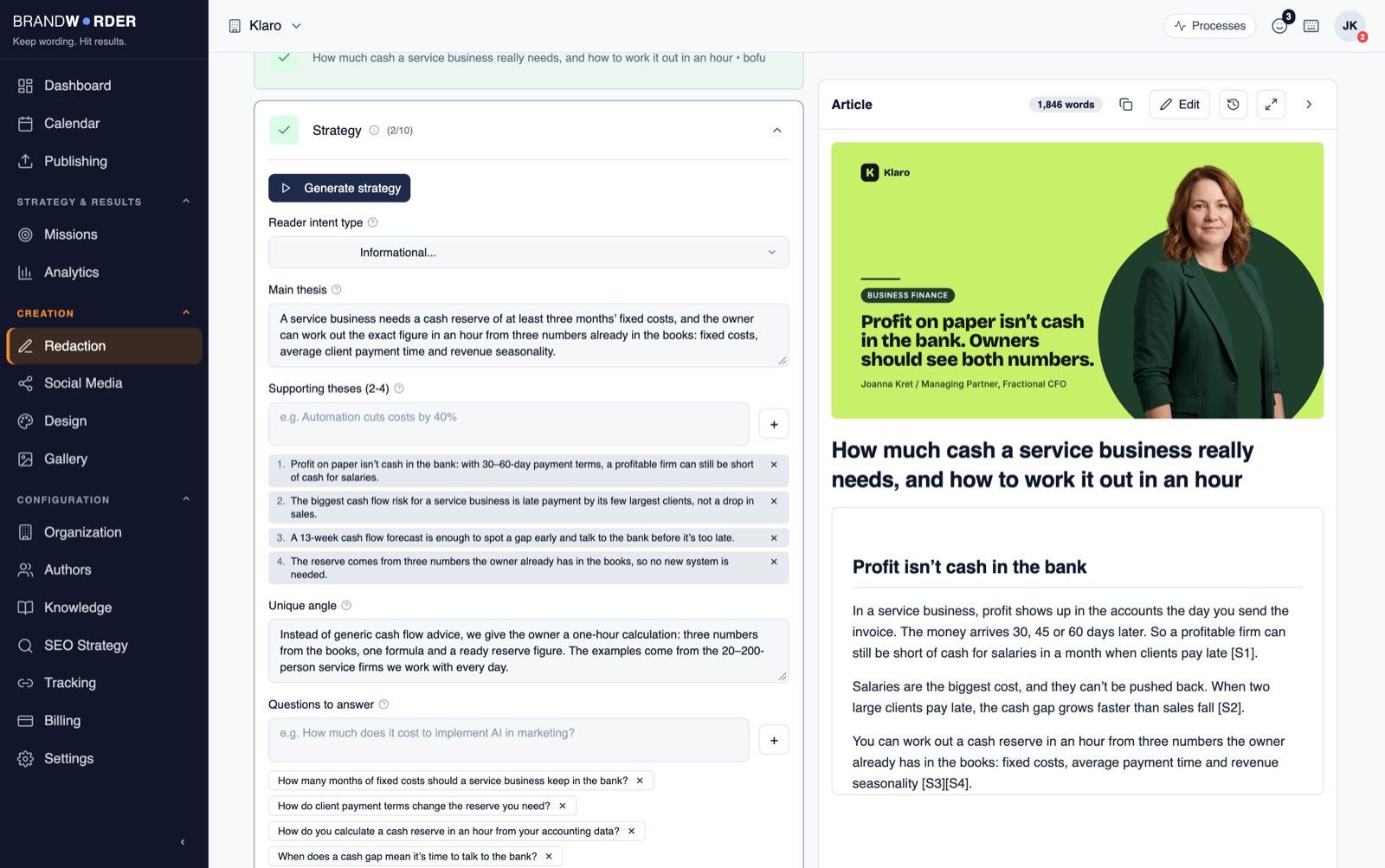
- Supporting theses, and the questions the article will answer.
- An outline with headings.
You decide You adjust the thesis and the plan before a single sentence is written. That’s quicker than rewriting a finished draft.
You see which sources the article is built on
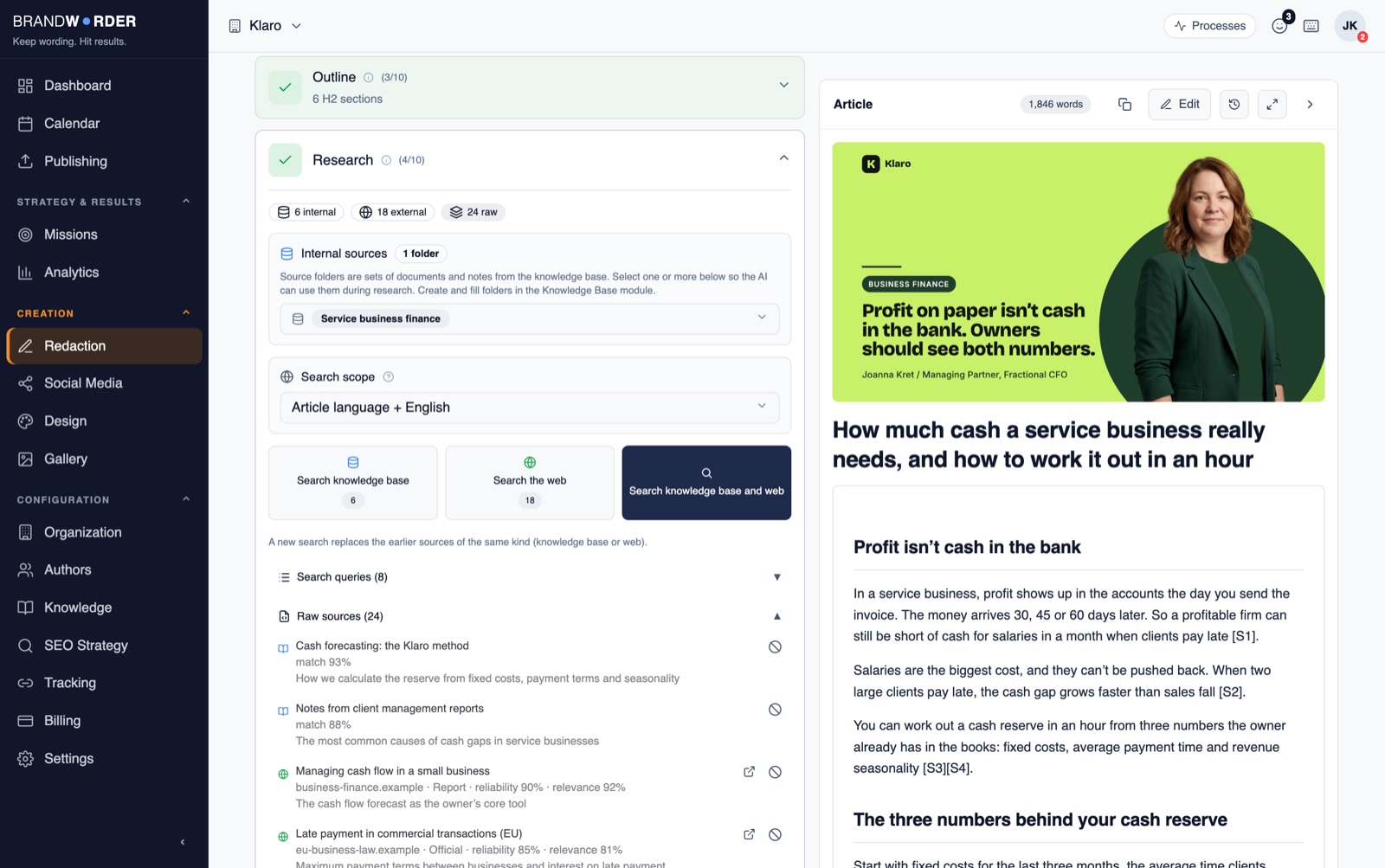
- Research in your company’s knowledge base and on the web.
- Every web source gets a reliability score.
- It pulls the findings together, with links back to the sources.
You decide You choose the knowledge base folders and exclude sources you don’t trust.
Every piece of content belongs to a campaign with a business goal
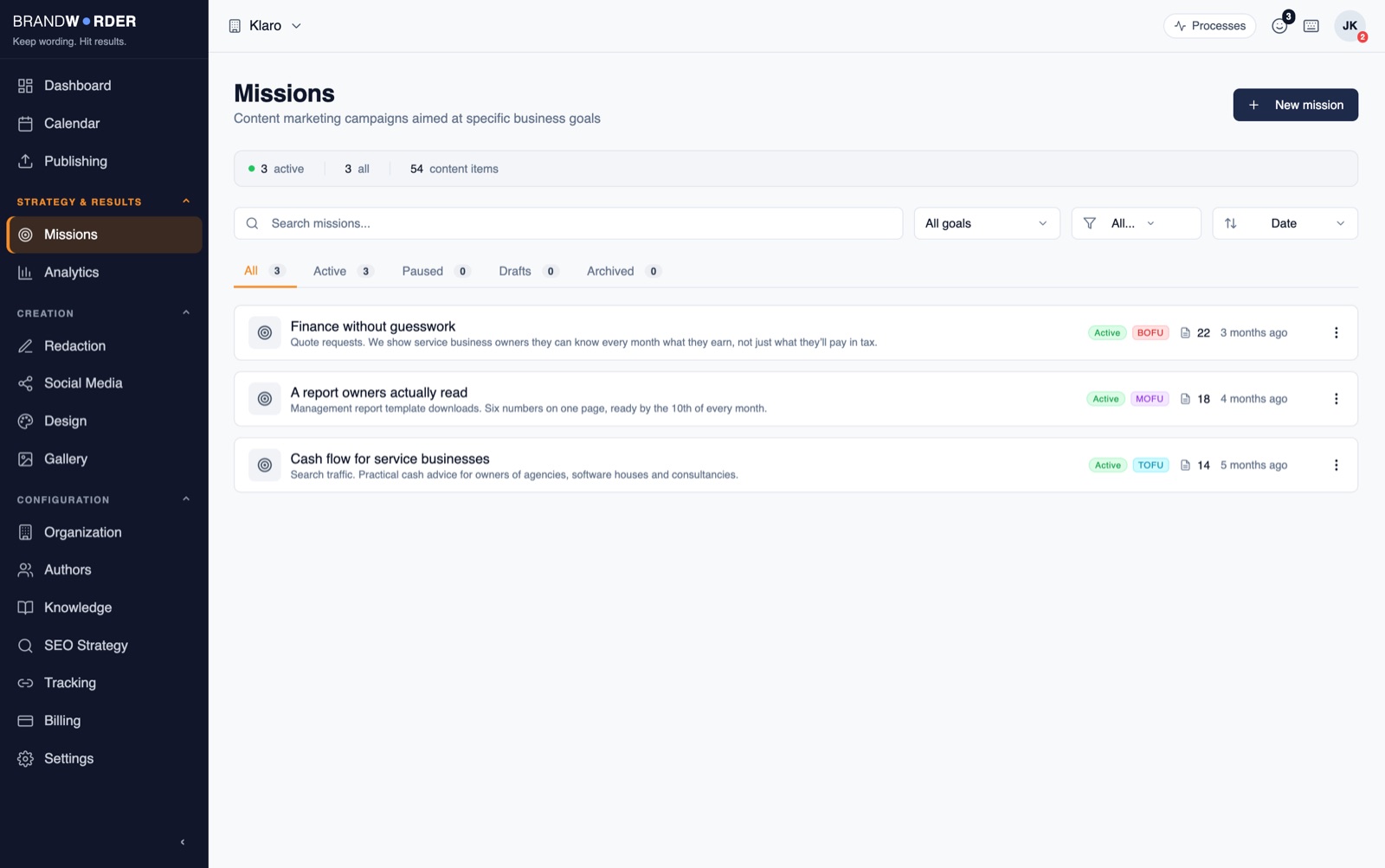
- Groups content into campaigns, each with a goal, a buying-journey stage and an audience.
- You see how much content each one has produced, and which are active.
- In the app, a campaign is called a Mission.
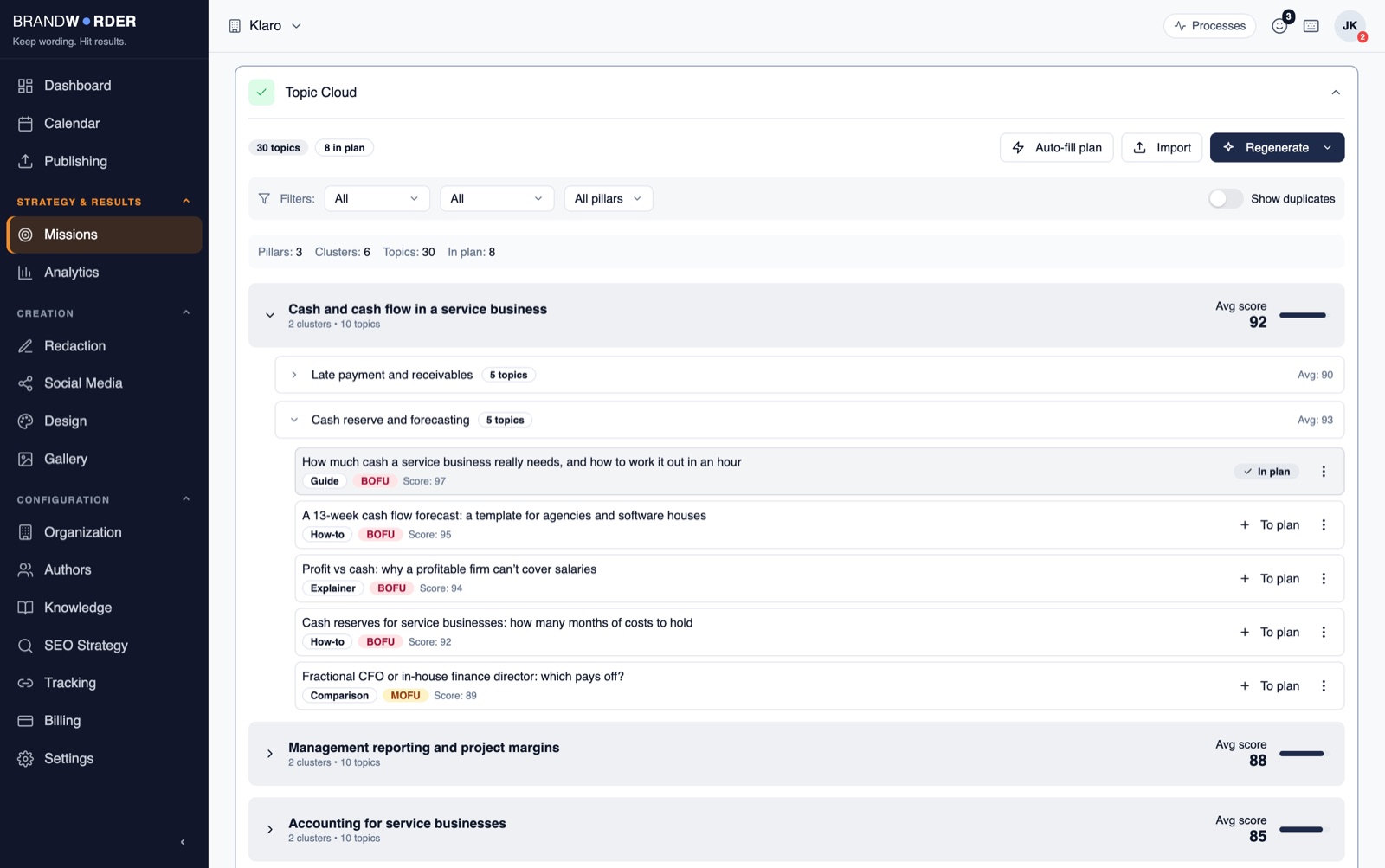
It suggests topics that serve the campaign goal (Topic Cloud in the app)
- Topics grouped into pillars and clusters.
- Each topic has a score, a format and a funnel stage.
- One click adds a topic to the plan.
You decide You decide which topics make it into the plan.
The campaign plan feeds straight into the article workflow
- Each campaign has a plan of topics to write.
- Every topic has a description, a format and a target keyword.
- From the plan, a topic goes into the article workflow as a ready-made brief. Nobody has to explain it all over again.
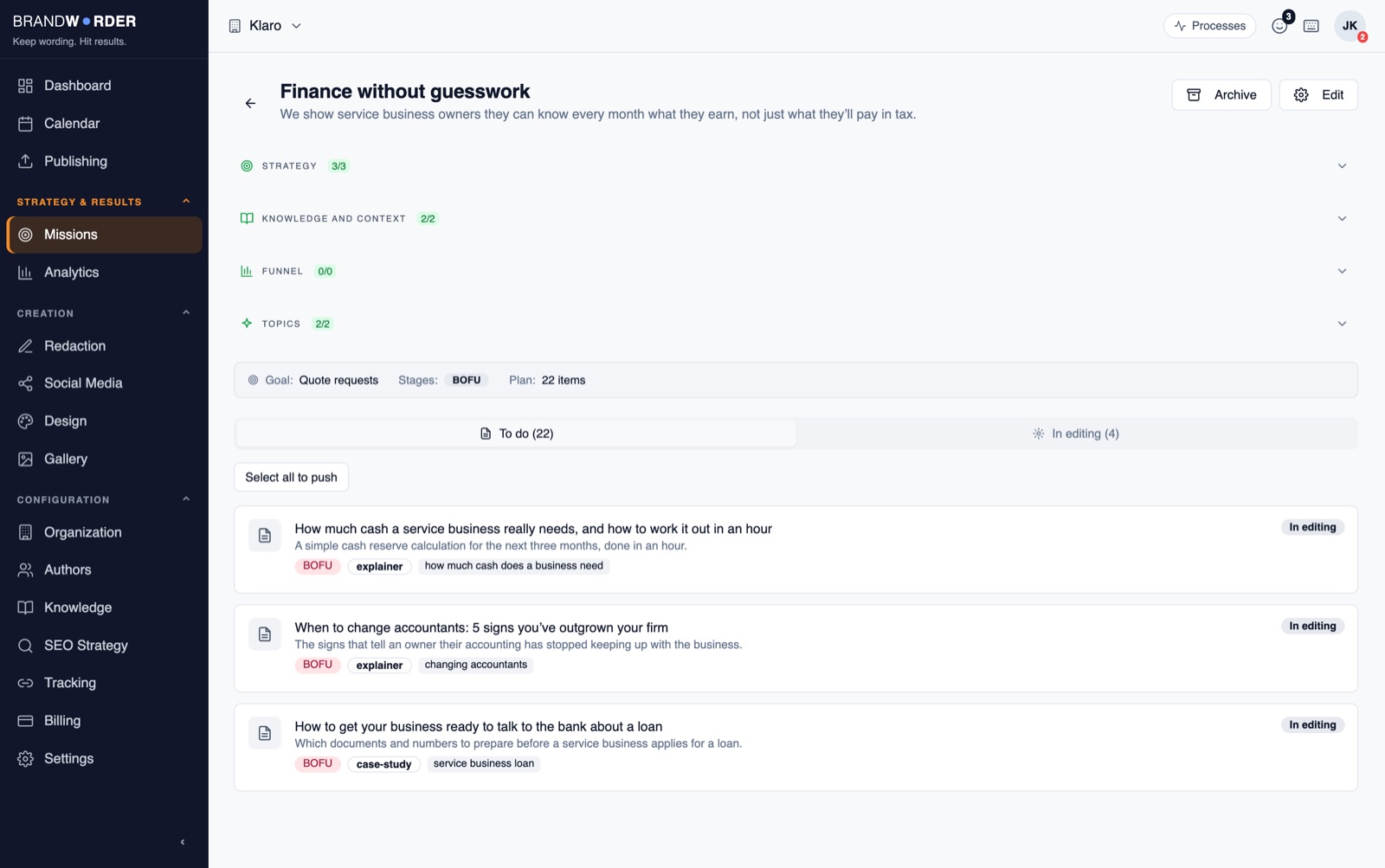
You see how the system checked the facts. You settle anything in doubt.
One made-up fact can cost you a client. That’s why the system checks facts in a separate step.
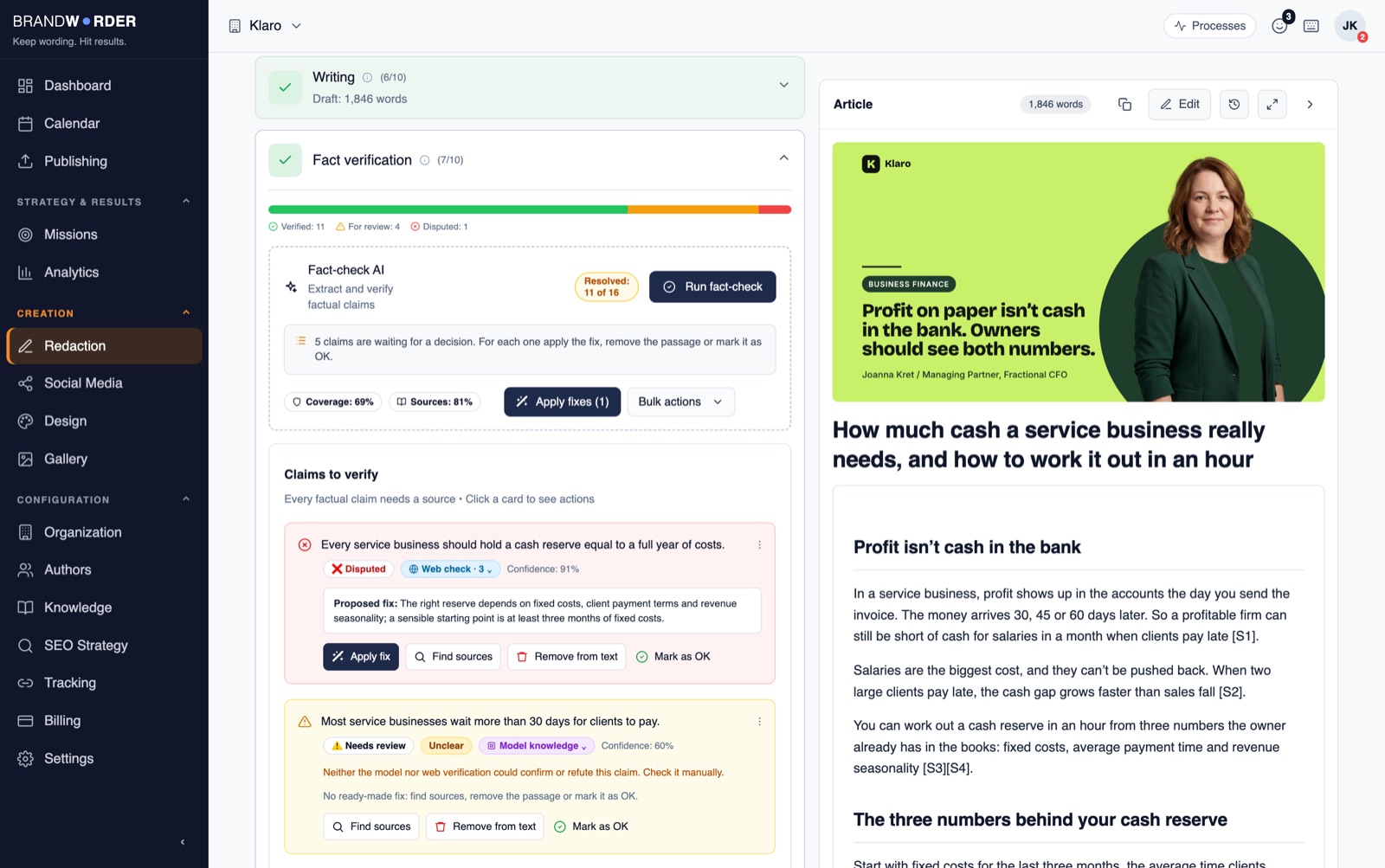
Fact verification: one claim disputed with a ready fix, four for review, eleven verified.
- The system pulls the claims out of the text and checks each one separately.
- For each one it shows the result and how it was checked: against a source, on the web or from the model’s knowledge.
- If it can’t confirm a claim, it says so: check it manually.
- It checks the claims it has extracted. We don’t promise it will catch every one.
What you can do with a flagged claim
The system never publishes on its own. Your expert has the final say.
Graphics, publishing, posts and calendar all in one place.
No commissioning graphics, no copying text from one tool to the next.
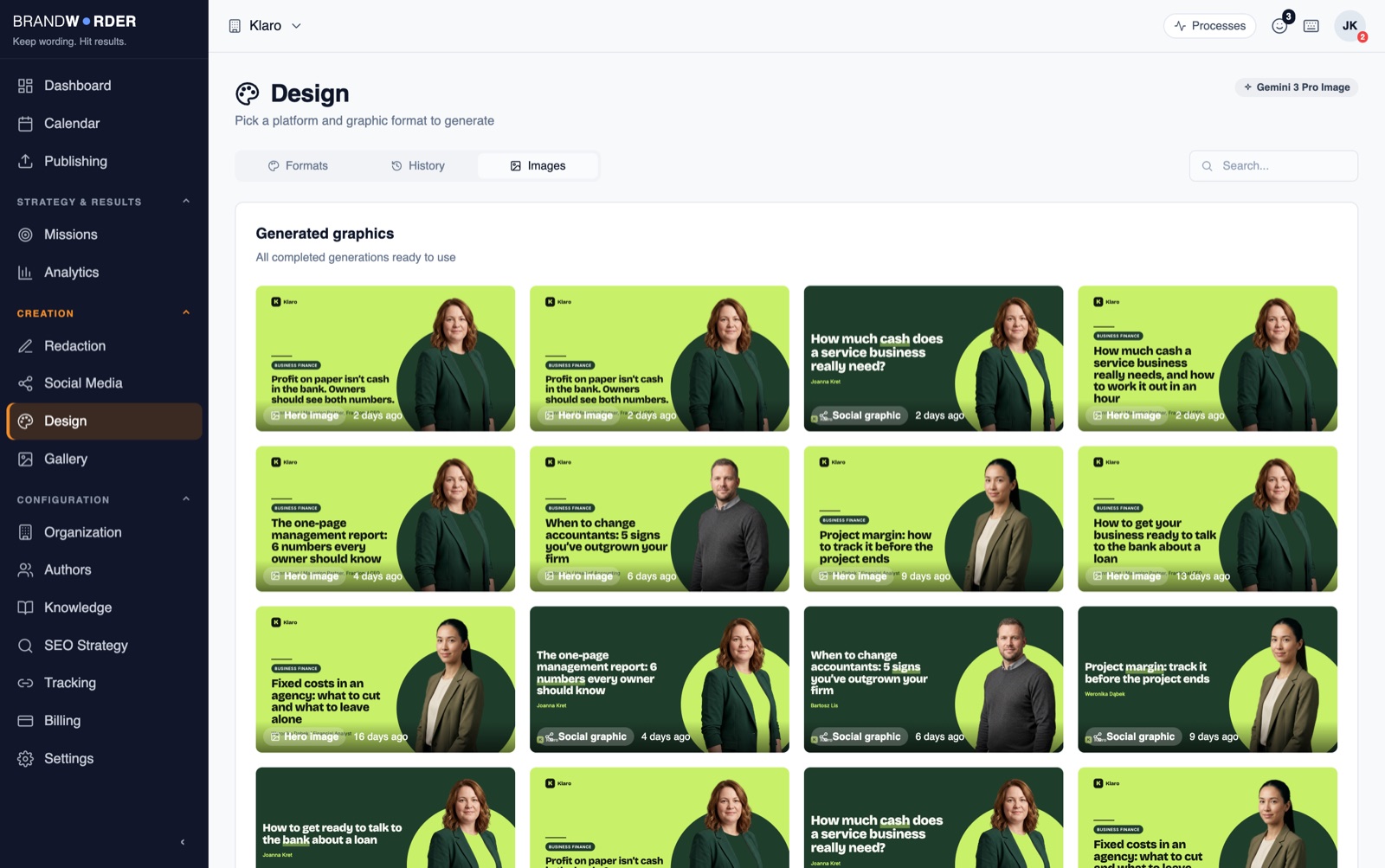
Graphics in your brand colours, with your expert’s face
- The article’s hero image and graphics for posts.
- Colours and style taken from your Visual DNA.
- The expert and a quote from the article on the graphic.
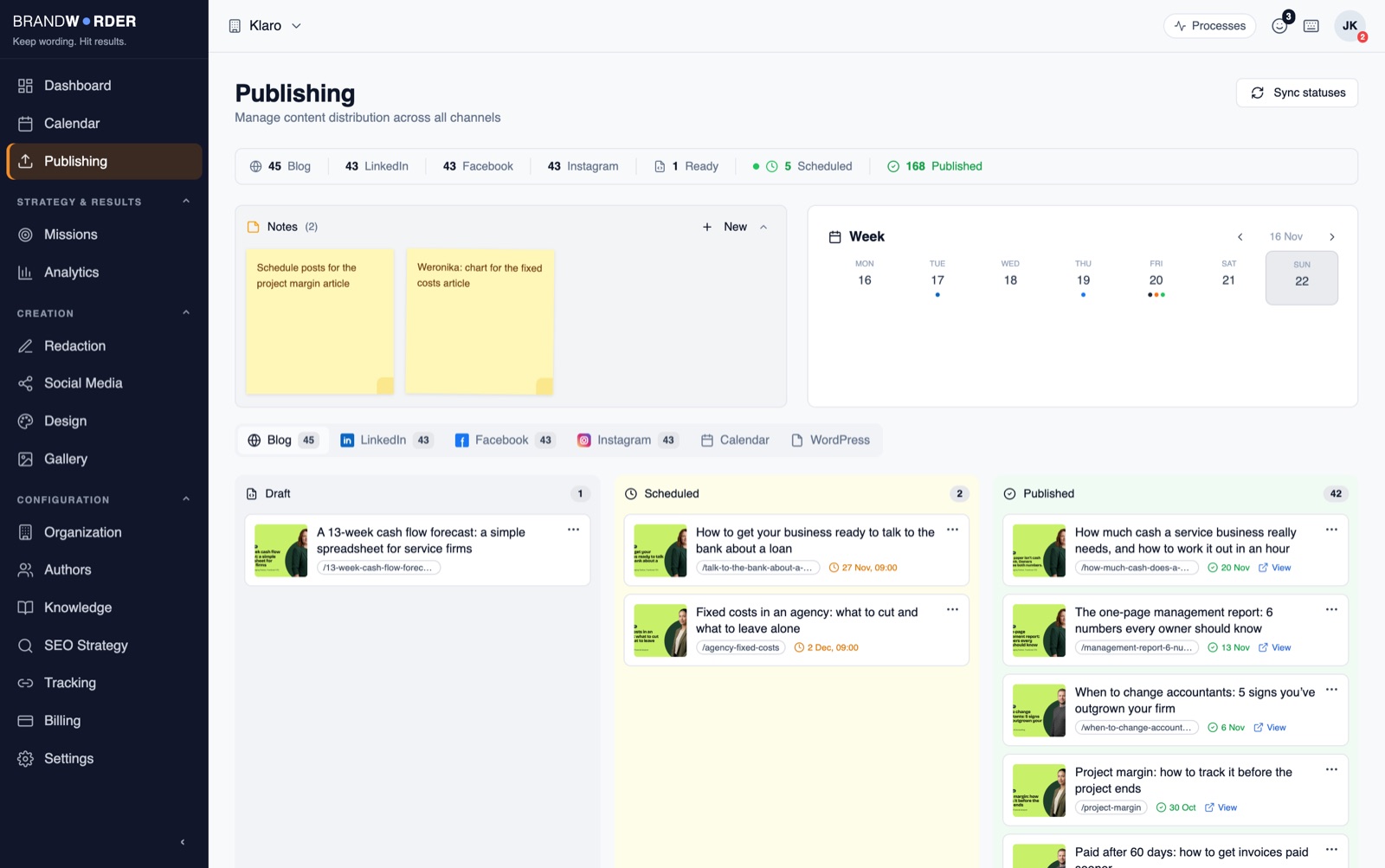
Everything you publish, in one view
- Drafts, scheduled and published articles on one board.
- You publish the article on your website if it runs on WordPress. On any plan you can also download it as a PDF or a document.
- Post counts for the blog, LinkedIn, Facebook and Instagram.
You decide You choose the publication date.
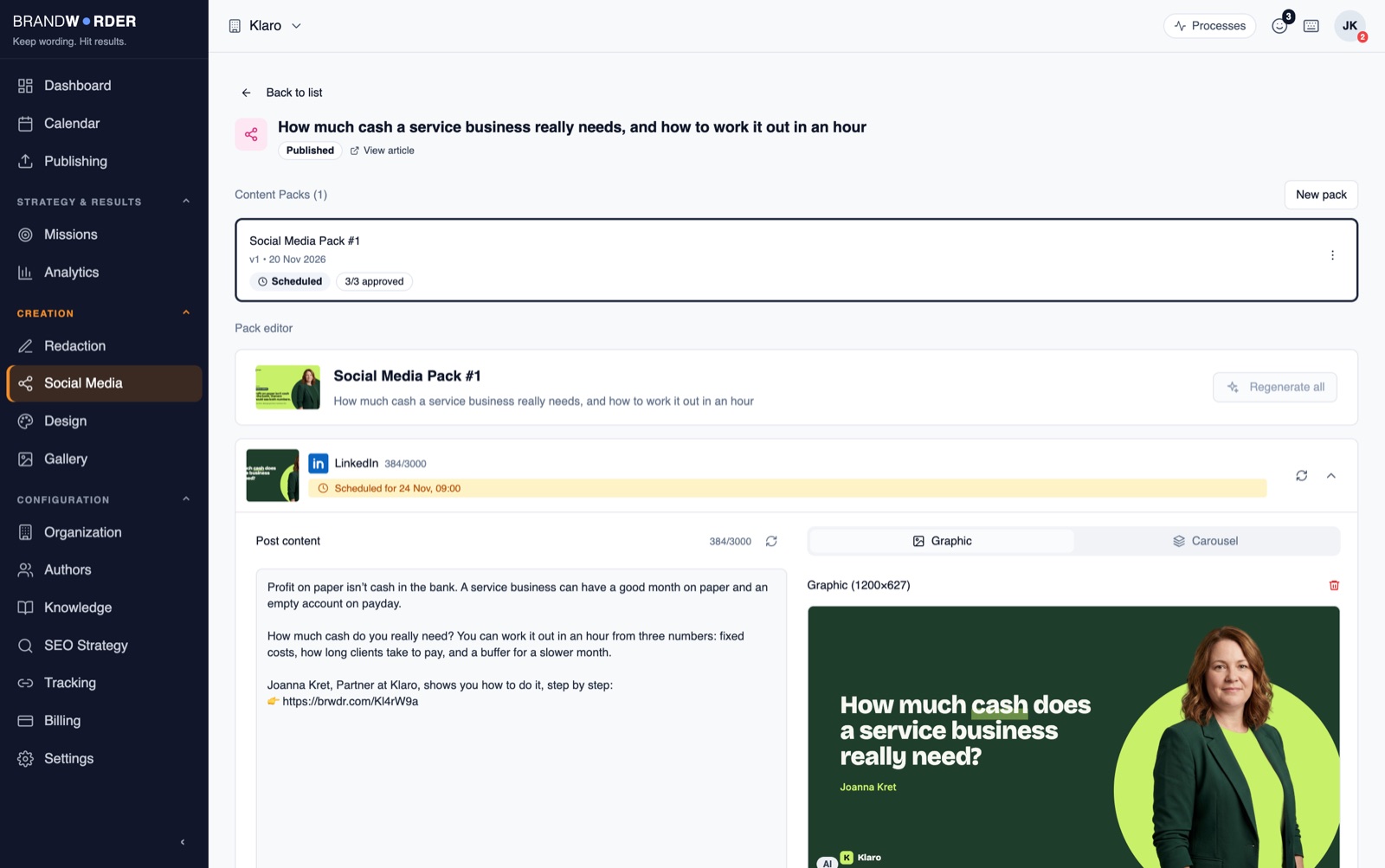
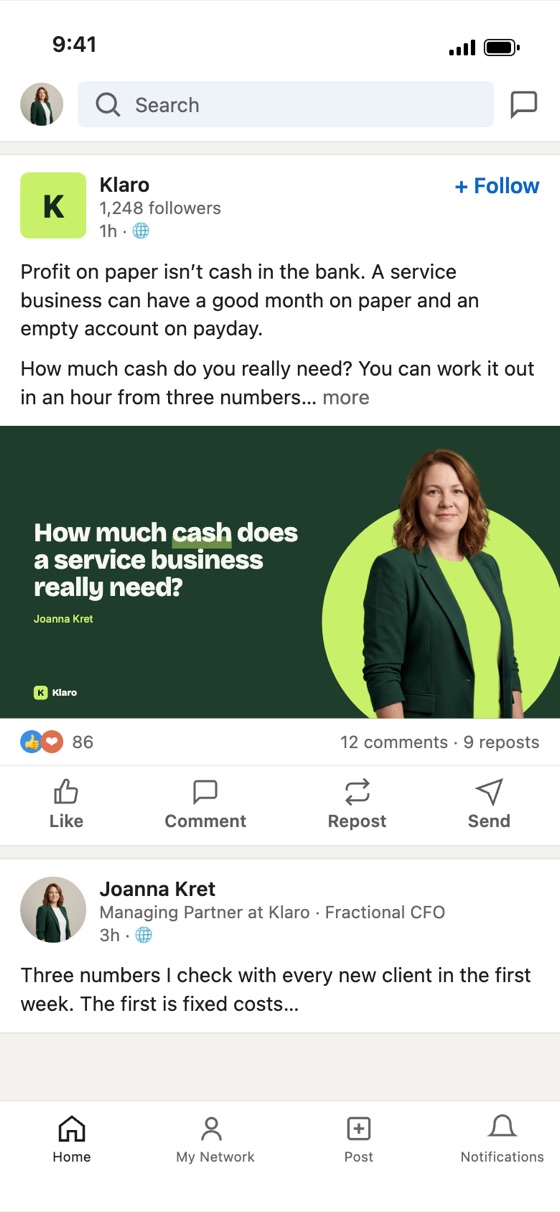
Every article comes with a ready set of posts
- Posts for LinkedIn, Facebook and Instagram.
- Each one with a graphic, plus a carousel for LinkedIn.
- Each one carries a short link to the article on your website.
You decide You approve each post separately. You can change the text and the graphic.
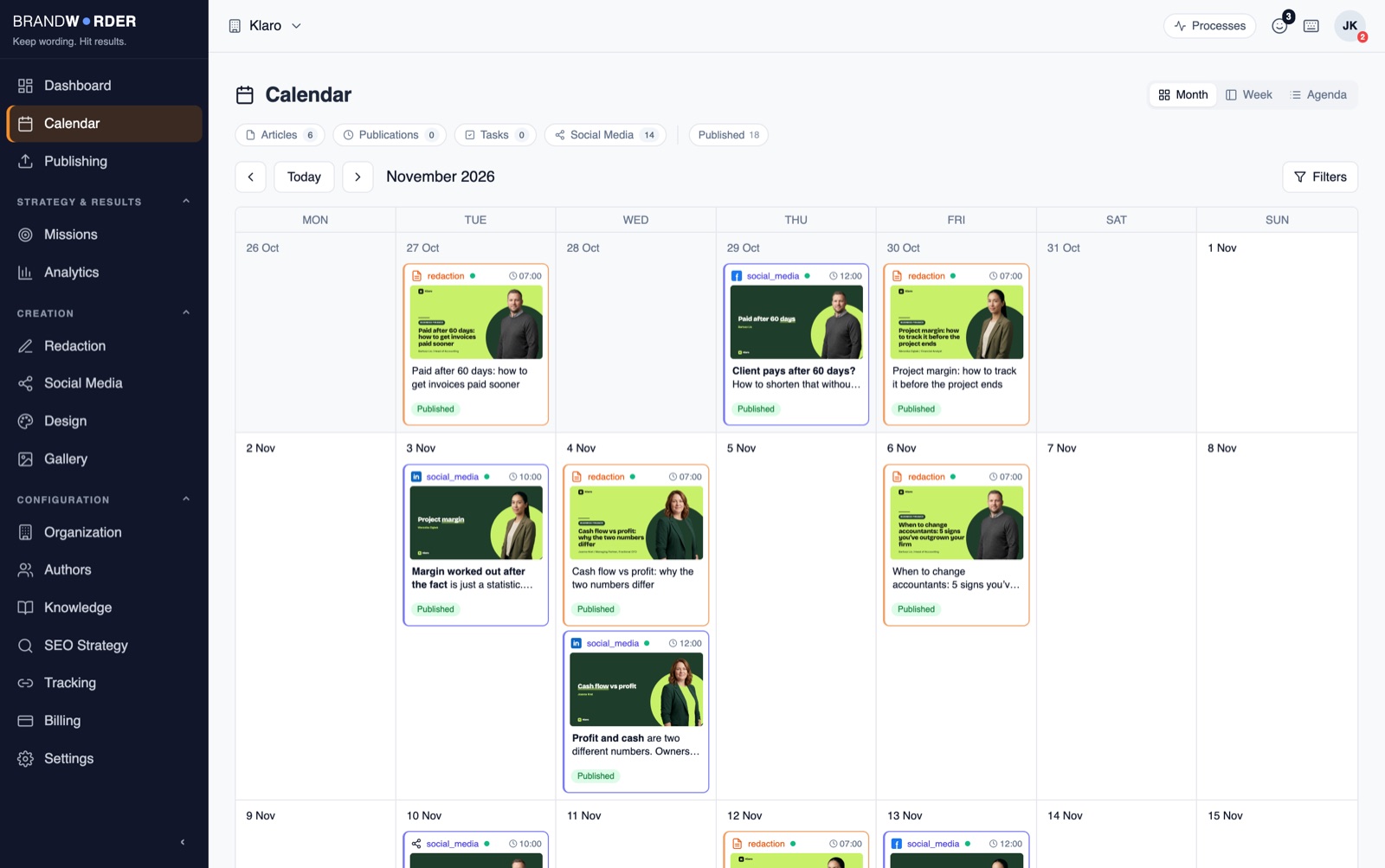
Articles and posts in one calendar
- All your articles and posts on one timeline.
- Month, week or list view.
- You see at a glance what’s gone out and what’s still waiting.
You decide You set the date for every item yourself.
How many experts write, and what do you want to measure? That decides your plan.
An expert who writes alone
Articles are written in their voice, from your company’s knowledge. The expert changes only what they want to and settles anything in doubt.
Creator · €159 ex VAT / monthA company with two people writing
Each expert has their own profile and voice. Articles go up on your website, and every one becomes a set of posts.
Publisher · €249 ex VAT / monthA company that wants strategy and measurement
Content belongs to campaigns with a business goal. After publishing, you see each campaign’s funnel.
Business · €559 ex VAT / month20 minutes of system time per article
In that time it prepares the article and finds the sources for it.
You read, edit and decide. That depends on the topic and the expert, so we don’t promise a number. We’ll measure it on your first article.
The steps every article goes through
- Topic
- Requirements
- Format
- Strategy
- Outline
- Research
- Draft
- Fact-check
- SEO
- Images
- CMS
Your company’s materials stay in your account. Other customers can’t see them.
Your knowledge base and articles sit in your company’s account in the Brandworder database.
Only the excerpt needed for that article. Never the whole knowledge base.
We don’t allow AI models to be trained on your materials.
What do you see after publishing? Each campaign’s funnel.
- Exposure, clicks, visits and engagement, from top to bottom.
- You get the same numbers for every campaign and every article.
- The system points out where the funnel narrows.
An enquiry counts as a goal once you tag the form on your website. That way you see the path from first view to enquiry. What happens next stays in your CRM, because there’s no CRM integration.
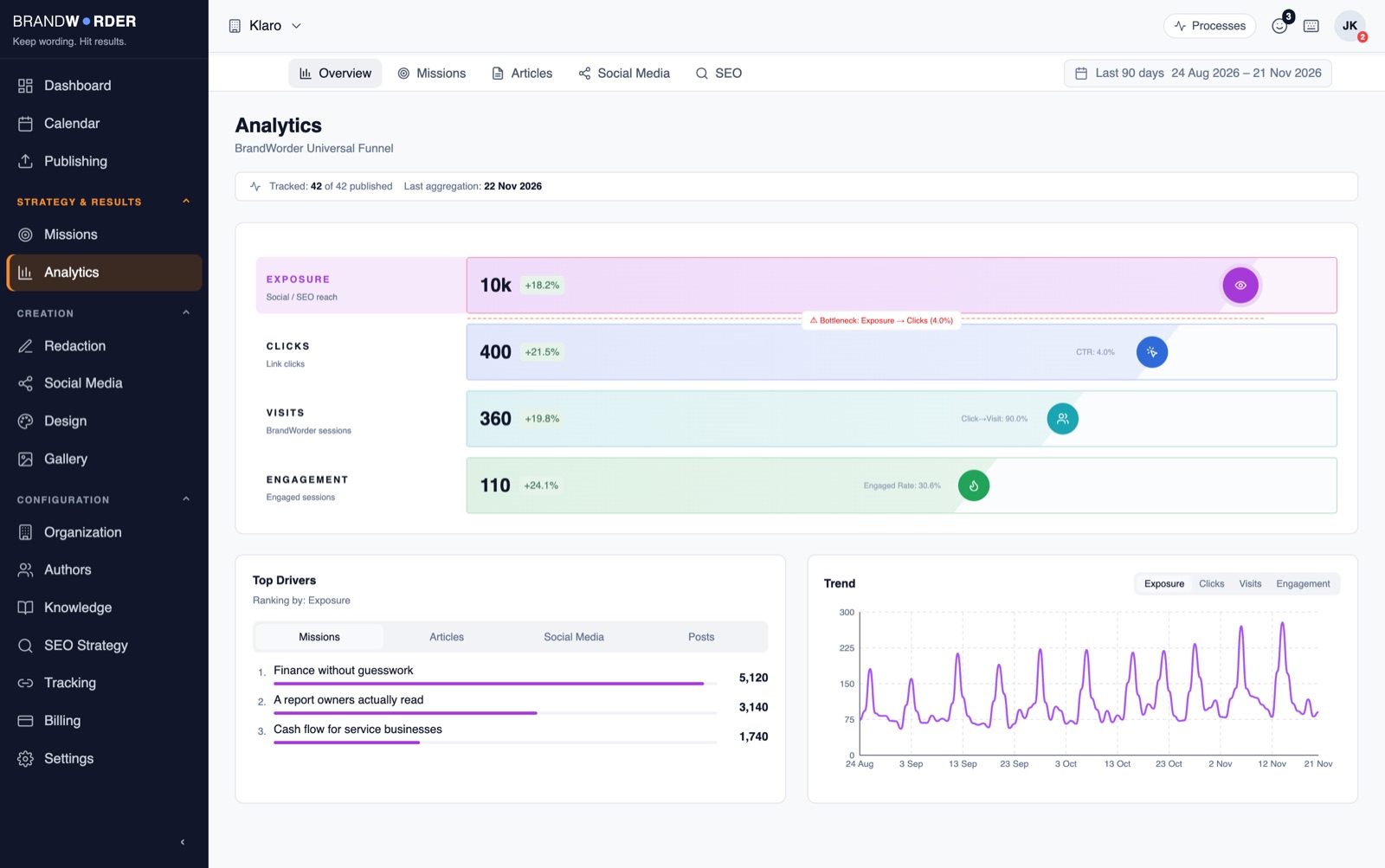
- The system flags the bottleneck for you: here, between exposure and clicks.
- How many articles are tracked, and when the data was last pulled.
- Campaigns, articles and posts ranked by results.
Three plans. The difference is team size, publishing and measurement.
Creator
For an expert who writes alone
€159 ex VAT / month
- Brand Voice and Visual DNA
- Expert profile and knowledge base
- Article workflow from brief to finished text
- Design Studio, calendar, export
8 articles / month · 1 expert · 1 user
Book a callPublisher
For a company with two people writing
€249 ex VAT / month
- Everything in Creator
- Publishing to WordPress
- Posts: LinkedIn, Facebook, Instagram
- Publishing schedule
12 articles / month · 2 experts · 3 users
Book a callBusiness
For a company that wants strategy and measurement
€559 ex VAT / month
- Everything in Publisher
- Missions: campaigns with a goal and a plan
- Tracking and analytics from Search Console
- A report for every campaign
Unlimited articles, experts and users
Book a callPrices exclude VAT. Plan details: Full pricing
Five questions we get on every call.
Who’s responsible for the article?
The expert whose name goes on the article. The system suggests and checks, but nothing goes live until you say so. You choose the publication date.
How long does it take to get started?
Initial setup takes one to two working days. A full rollout with your team takes up to two weeks. We’ll help you get set up.
Will publishing work with our website?
You publish from the app to your company website if it runs on WordPress (Publisher plan and up). On any plan you can also download the article as a PDF or a document.
Does Brandworder connect to our CRM?
No. You see the path all the way to an enquiry from the form on your website. You run the rest of the sale in your own CRM.
What happens to our materials?
They stay in your company’s account, and other customers can’t see them. The model gets only the excerpt it needs for that article. We don’t allow AI models to be trained on your materials.
Let’s talk about how it would work in your company.
We’ll walk you through the system with a worked example, talk through how it would work in your company and pick the right plan. If you decide to go ahead, we’ll help you get set up.
We reply within 1 working day. Prefer email? hi@brandworder.com